
Pen
Crisp vector ink engine with customizable line widths, vibrant colors, and responsive Apple Pencil tracking.
Native for iPhone, iPad & Mac · PortanX, Bern
A unified, high-performance workstation for your documents. Fluid vector ink, precise typography editing, interactive forms, neural voice reading and intelligent document AI — built with complete privacy at its core.
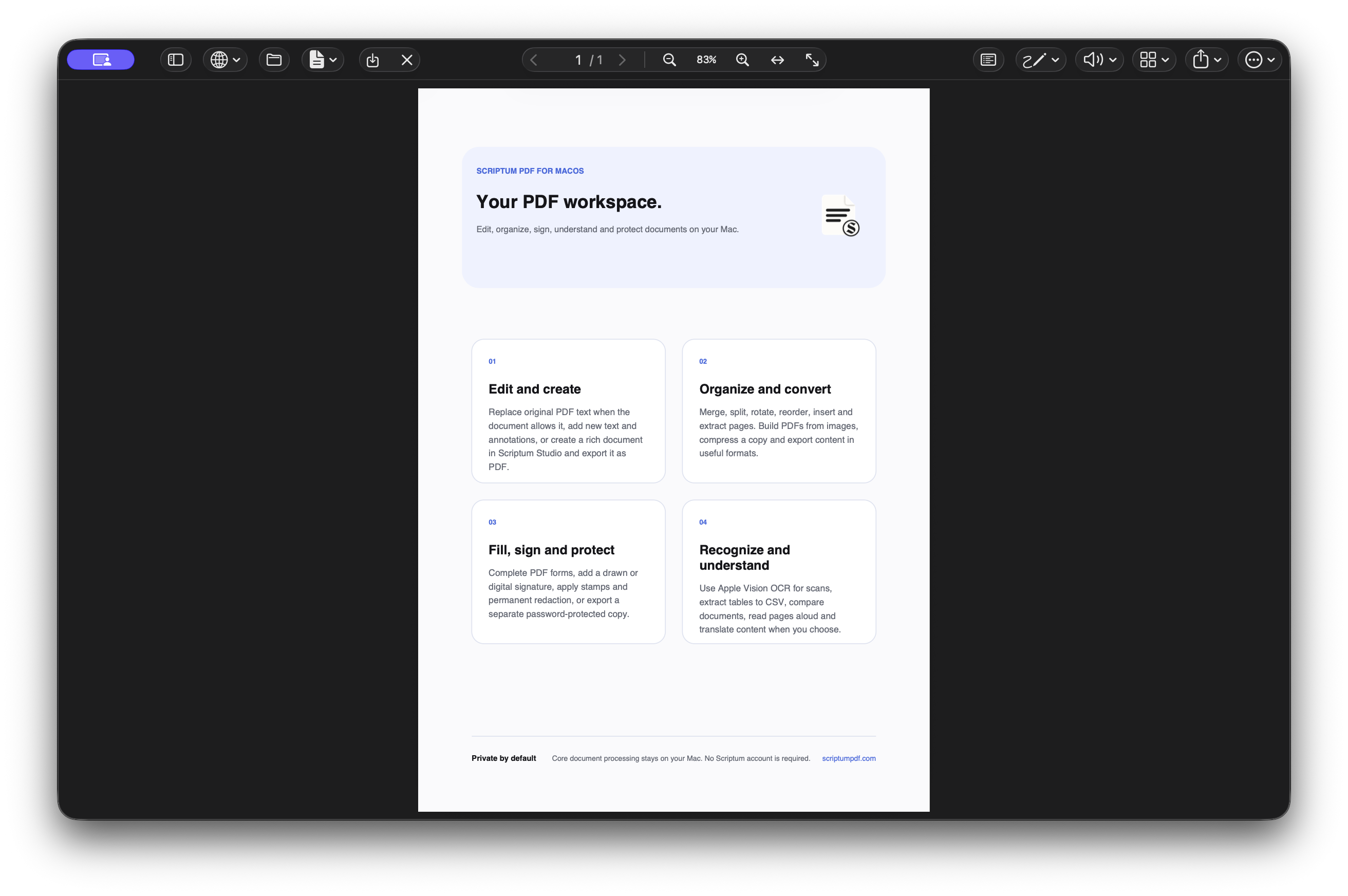
Real screenshots of the PDF workspace in light and dark appearances. Select any image to view it full size.
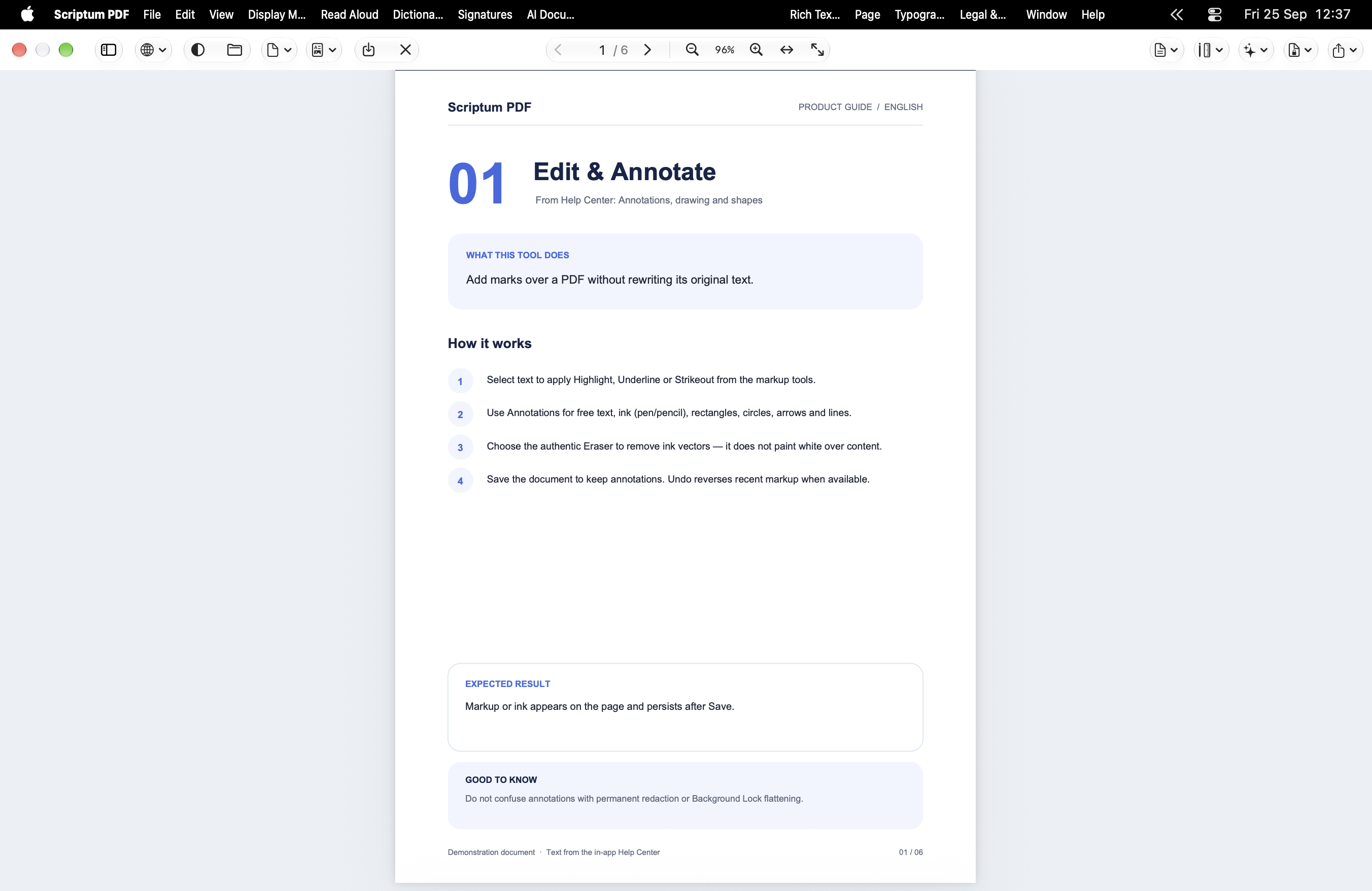
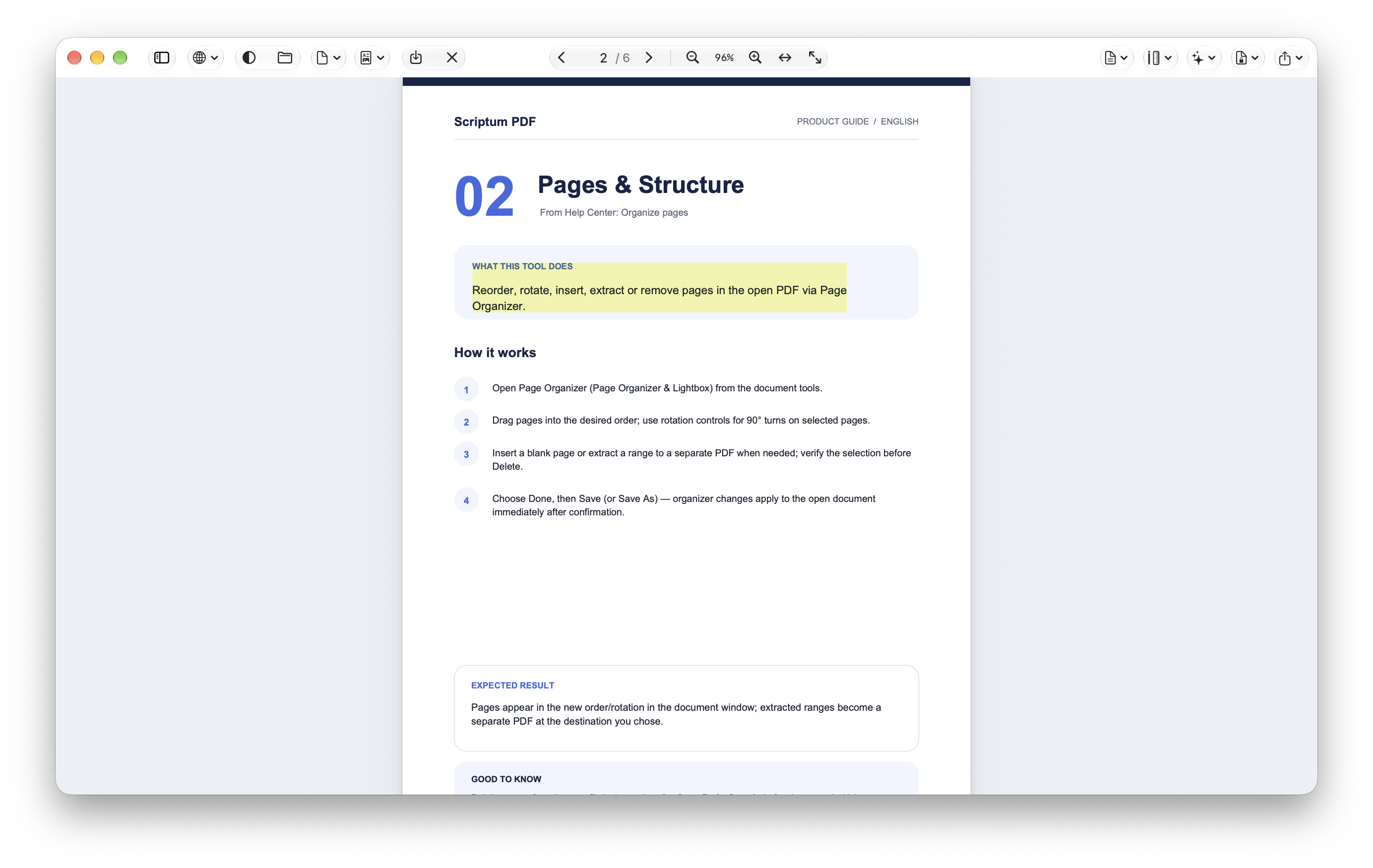
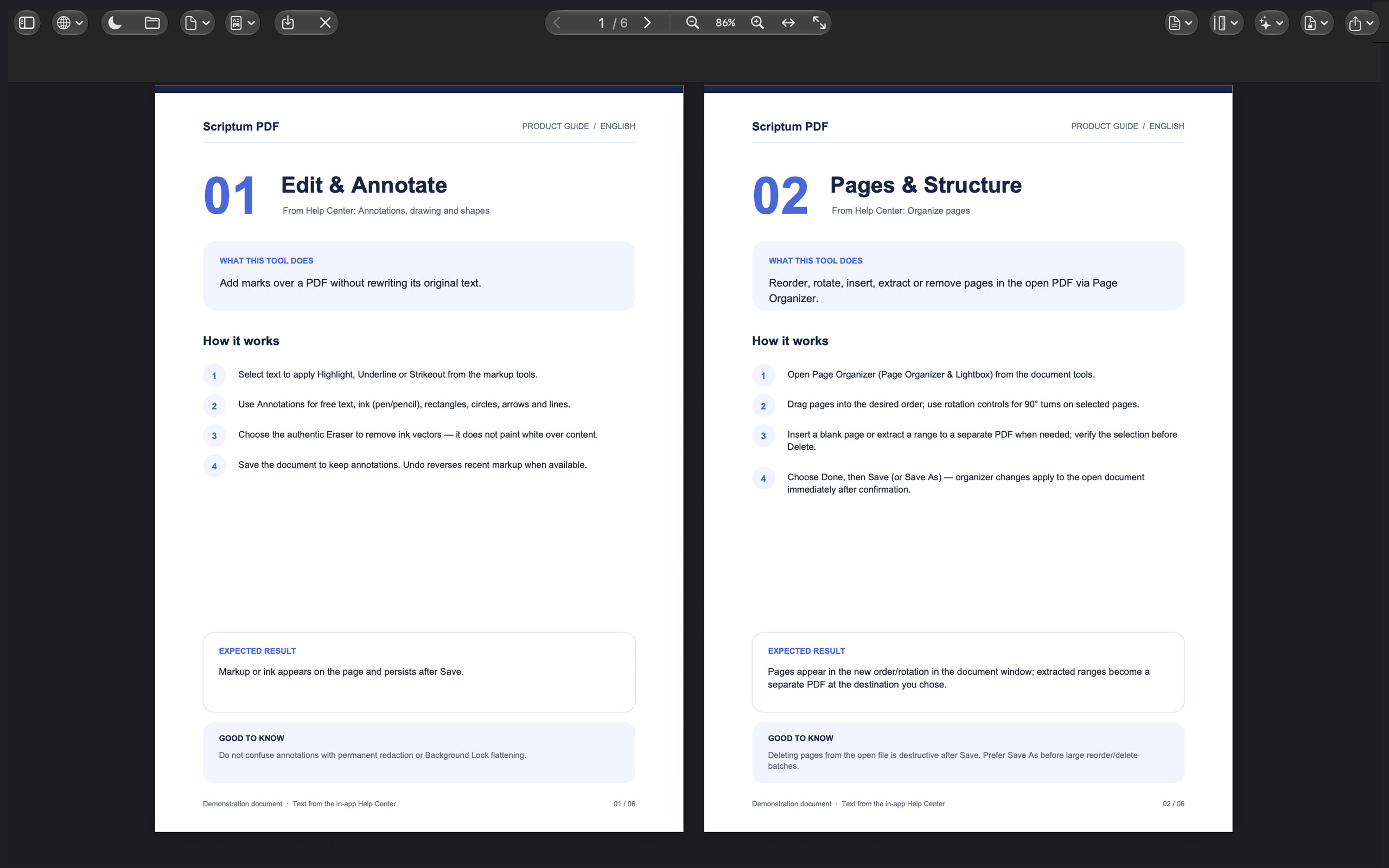
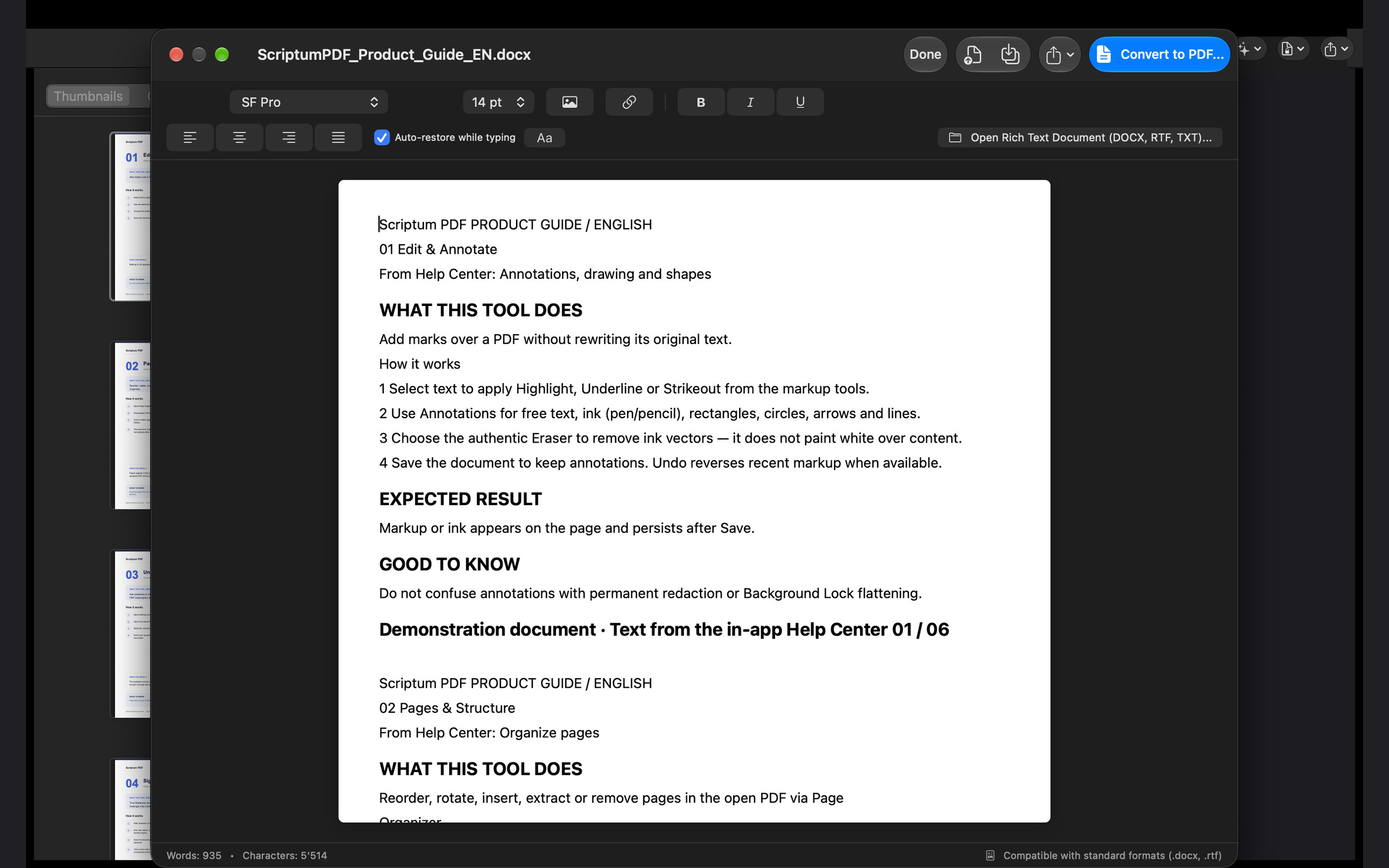
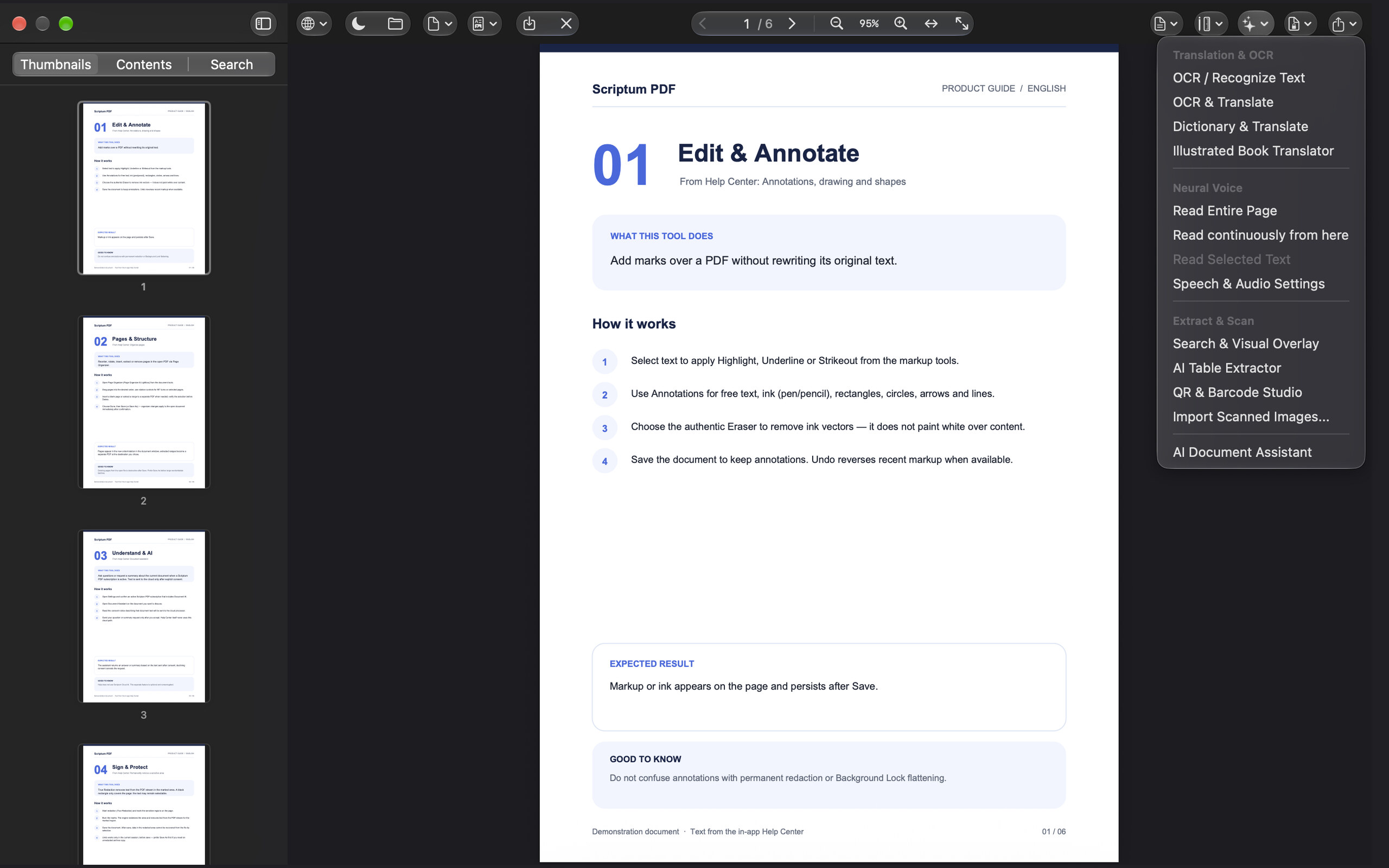
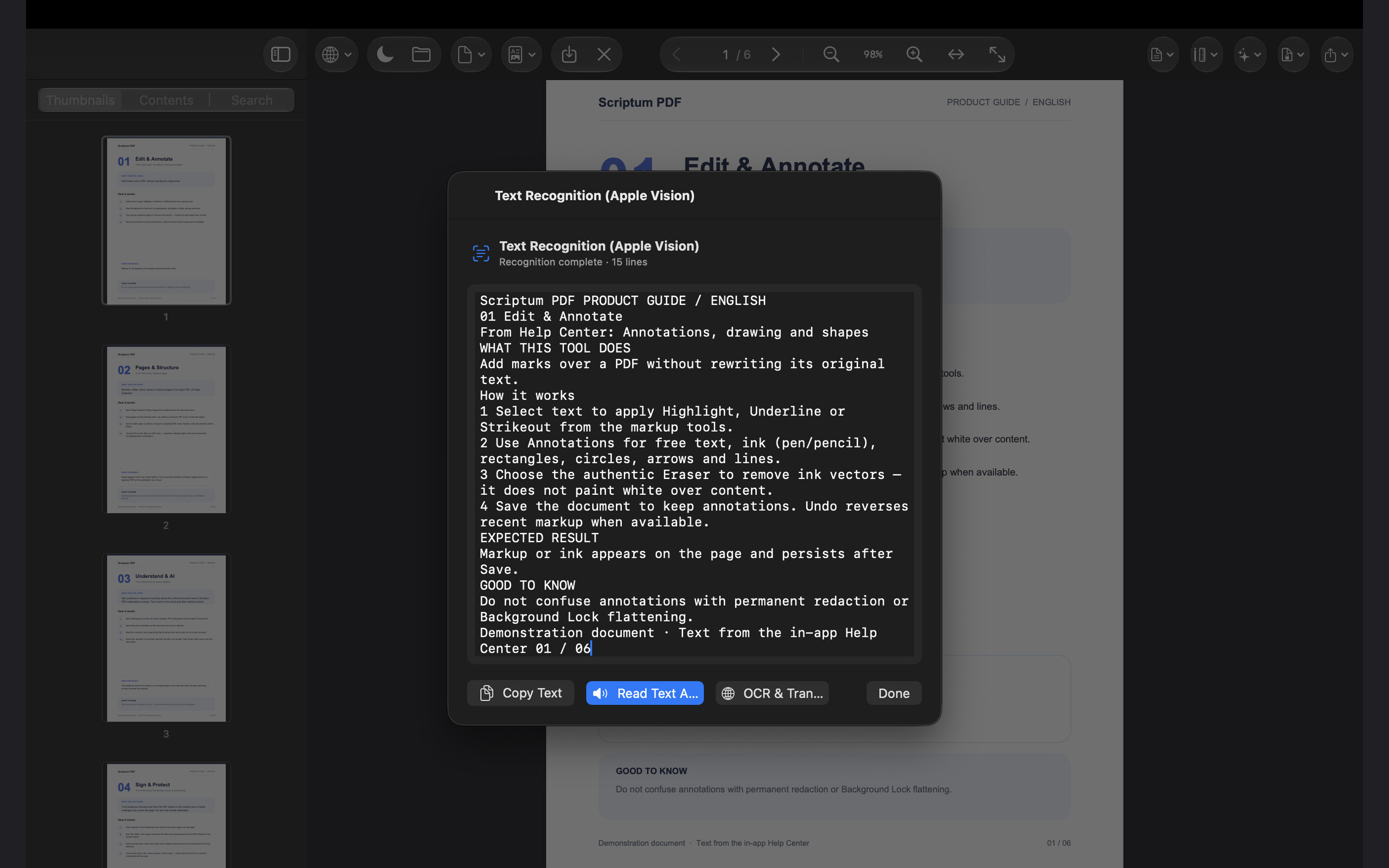
Intuitive sketching, responsive Apple Pencil dynamics and precise typographical editing directly on the page.
Crisp vector ink engine with customizable line widths, vibrant colors, and responsive Apple Pencil tracking.
Natural graphite texture responding dynamically to tilt, angle, and pressure sensitivity.
Squeeze, barrel roll, and hover preview for ink, markup, and precise placement on iPad.
Translucent markup overlay designed for freehand emphasis, sketching, and expressive study notes.
Smart object-aware eraser that accurately cleans individual vector strokes and embedded markings.
Select, reposition, or adjust collections of drawings and annotations simultaneously.
Professional markup directly attached to the document’s native text layer with custom tints.
Crisp typographic underlines anchored to selected words, sentences, or structured paragraphs.
Standard editorial markup to cross out passages and track revisions across editorial reviews.
Interactive comment markers that expand into threaded notes for feedback and detailed review.
Add versatile text blocks anywhere on the page with full typographic control over fonts and alignments.
Rewrite, proofread, and refine selected text with Apple Intelligence Writing Tools.
Geometric precision tools: add rectangles, circles, lines, and callout arrows with custom borders.
Sign documents naturally with Apple Pencil or trackpad using smooth, responsive vector curves.
Create, store, and stamp your personal signatures onto incoming contracts and approvals.
Professional pre-built stamps (Approved, Confidential, Paid, Urgent) alongside custom image stamps.
Instantly select, inspect, adjust, or remove any annotation element directly from the canvas.
Reset the current page markup to its original clean state with a single protected action.
Seamlessly modify original typographical text in place while preserving embedded fonts and page geometry.
Place text, checkbox, choice, signature, and calculated fields directly on the page.
Total control over document composition: reorder, extract, rotate, and combine files effortlessly.
Direct integration with Apple Files and Finder. Open high-density documents smoothly on local storage.
Drop PDFs, images, and files onto the workspace from Files, Finder, or other apps.
Draft structured text documents, format paragraphs, and export seamlessly to standard .docx or PDF.
Start from A4, Letter, or A3 with print-ready page geometry.
Combine multiple PDF files into a single, cohesive document in seconds right on your device.
Capture paper documents using high-resolution Continuity camera feeds or import photo collections directly.
Reliable atomic file saving ensures your revisions are written securely without risk of data corruption.
Inspect complete technical metadata, page counts, title tags, color spaces, and file characteristics.
Browse and restore local milestones of your working document at any point in your workflow.
Restore the last working session after an interruption, without losing unsaved work.
Save reusable layouts locally and instantiate them as new documents.
Encrypted local network sharing directly between your Mac, iPad, and iPhone with mutual verification.
High-speed visual overview for navigating, jumping, and reviewing large multi-page publications.
Rearrange page sequences, batch rotate orientations, extract targeted sections, or split documents easily.
Insert fresh blank pages formatted to match your document's dimensions for custom drawings or notes.
Overlay logos, diagrams, and photographic assets directly from your library or clipboard with precision.
Embed clickable hyperlinks and navigation anchors over any region or textual paragraph.
Instantly adjust orientation by 90° increments per page or uniformly across the complete document.
Save selected page sets or ranges into an independent, pristine PDF document ready for distribution.
Explore and navigate document outlines, nested bookmark trees, and section hierarchies effortlessly.
Adapt your reading environment with single-page focus, fluid continuous vertical scroll, or dual-page view.
Pinch, zoom, fit-to-width, or view at 100% pixel-perfect scaling with ultra-fast rendering response.
Engineered visual comfort profiles: Classic Studio, Warm Sepia, and Midnight palettes.
Intelligently optimizes document backgrounds for night reading while preserving color balance.
Immersive, chrome-free presentation display optimized for stage projection and external monitors.
Advanced on-device intelligence and cloud-assisted reasoning to extract, summarize, and query knowledge instantly.
Listen to documents with lifelike neural speech synthesis featuring rich vocal nuance and natural pacing.
High-precision text recognition for scanned documents powered natively by the Apple Neural Engine.
Instant word lookup, grammatical definitions, and inline phrase translations across multilingual documents.
Full-page professional translation preserving your reading flow across dozens of international languages.
Scriptum ProOverlay translated text directly on top of illustrated books, technical diagrams, and visual posters.
Scriptum ProDetect and export complex tabular data from PDF sheets directly into clean CSV spreadsheets.
Perform powerful global searches and batch replacements across the document's editable text layers.
Find meaning, not just keywords, across the open document.
Identify differences, modifications, and editorial revisions between two document versions with ease.
Generate executive summaries, extract key takeaways, and chat conversationally with complex reports.
Scriptum ProIntelligently restore missing language-specific accents and diacritics in scanned historical texts.
Identify document type and structure to speed review and filing.
Locate barcodes and QR codes in scans, then copy or open the encoded payload.
Straighten, despeckle, and lift contrast on camera captures before OCR.
Enterprise-grade document security, permanent redaction, and rapid interactive form completion.
Fast, responsive completion of standard PDF forms, text inputs, checkboxes, and buttons.
Switch between laying out form fields and filling them as a respondent.
SUM, MULTIPLY, SUBTRACT, and PERCENTAGE across linked form fields.
Constrain dates, IBANs, phones, and IDs so values stay valid.
Lock files with robust AES password encryption, backed by secure on-device Apple Keychain storage.
Stamp documents with a cryptographic SHA-256 integrity seal incorporating signer name, date, and reason.
Highlight and stage sensitive areas or visual regions for irreversible sanitization before publication.
Permanently sanitize selected confidential text phrases directly from the document's text index.
Irreversibly remove marked text, metadata, and graphical pixels for absolute confidentiality.
Apply custom textual or graphic security watermarks across page ranges with calibrated opacity.
Burn filled values into the page and lock the contract against further edits.
Freeze the background and form structure while preserving a signed original.
Walk signers through required fields, one at a time, on a dedicated kiosk bar.
Mask a confidential page when the system reports capture, mirroring, or recording.
Keep recovery material behind Face ID, Touch ID, or Optic ID.
Print or copy a one-time recovery key so the vault can be restored without a second device.
Versatile file transformation, multi-format conversion, intelligent compression, and studio printing.
Transform PDF content into editable .docx documents while preserving paragraphs and table layouts.
Quickly extract the complete text corpus of any document into structured plain-text files.
Export AcroForm values as CSV or JSON for archives, CRM, and review.
Generate personalized PDFs from a CSV of names, addresses, and custom fields.
Convert HTML, Markdown, and rich text into clean PDFs, or export PDF text directly to Markdown.
Render high-resolution image sets (PNG/JPEG) of selected pages for publication, slides, or sharing.
Compile photos, diagrams, and image collections into an organized, unified PDF publication.
Significantly reduce document weight using calibrated Email, Web, and Print compression profiles.
Merge, compress, stamp, or watermark entire collections of PDF files simultaneously in one action.
Impose 2, 4, or booklet layouts on single sheets with customizable margins and crop borders.
Native AirPrint and macOS print dialog integration with complete color management support.
Seamless handoff to AirDrop, Messages, Mail, or third-party workflow apps via the native Share Sheet.
Instantly attach the active document into a new draft in Apple Mail with a single click.
Integrated workspaces designed specifically for legal teams, engineers, architects, and designers.
Apply serialized legal identification codes across multi-volume document sets with custom prefixes.
Generate and embed crisp, scalable vector QR codes directly onto invoices, receipts, and guides.
Measure distances, areas, and perimeters on technical schematics with scale calibration (mm, cm, m, ft, in).
Refine kerning, leading, typeface families, and alignment hierarchies for crisp document layouts.
Ready-to-use editorial templates for certified cover pages, translation affidavits, and filings.
All specialized professional toolsets consolidated into a unified inspector across iPhone, iPad, and Mac.
Open documents, start OCR, and run core actions from Siri and the Shortcuts app.
Present the same document together over FaceTime with coordinated navigation.
Consistent ergonomics, native SF Symbols, and familiar macOS & iPadOS navigation patterns.
Interactive in-app guidance detailing power shortcuts and productivity workflows.
Quick-start onboarding and keyboard shortcut maps in all 14 supported languages.
Tune neural speech voices, app appearance, language overrides, and subscription tiers.
Clear consent prompts and explicit visibility into every local and cloud transaction.
Seamless Productivity
Access documents instantly from iCloud Drive, local storage, or start fresh with a rich-text layout.
Work fluidly with Apple Pencil on iPad, the streamlined iPhone bar, or the full macOS ribbon.
Export to .docx, compress for email, burn redactions, or print with precision imposition.
Privacy by Architecture
Engineered from the ground up for on-device confidentiality. No tracking analytics, no advertising frameworks, and no user accounts required. Scriptum Pro AI features operate only upon your explicit consent. All subscriptions are processed securely via Apple StoreKit. Text sent to Scriptum Cloud Pro goes through Cloudflare to OpenAI. PortanX does not store that text as a document. The privacy policy does not state a fixed retention period.
Explore our Privacy Principles →SCRIPTUM PDF · iPhone · iPadOS · macOS
Coming soon to the Apple App Store for iPhone, iPad, and Mac. Start with a 7-day free trial of Scriptum Pro.